Copilot
Ask your searches anything.
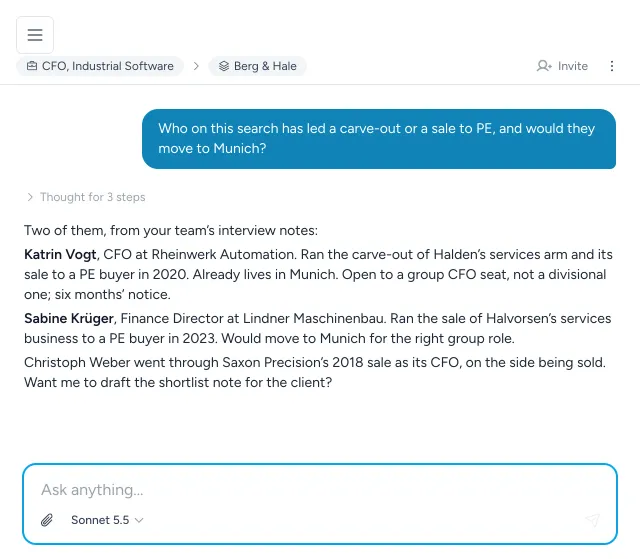
Ask in plain words and Topliner answers from your own work – your notes and interviews, your pipelines and market maps, the research behind them – then does the next step, if you ask it to.
What it can do
A colleague who has read every note.
Help me prepare for this meeting. Go through my interview notes. Come back with a market analysis. The copilot works across everything in your workspace, and nothing outside it.
-
Answers from your own record
Interview notes, pipelines, placements and reports – asked in plain words, answered from what your team actually wrote.
-
Research on request
Map a market, read companies with agents, find people and benchmark pay, with specialist sub-agents for each.
-
It does the next step
Move candidates, log activity, build lists, add people to a search – and it asks before anything that cannot be undone.
-
Files in, analysis out
Attach up to five files to a message – PDFs, Word, Excel, slides, images – and large data runs in a sandbox.
-
Playbooks it follows
Versioned skills for recurring work – researching a hiring company, benchmarking pay – so it is done the same careful way every time.
-
It remembers, and comes back
Memory across chats, and tasks it runs on a schedule while you are with a client.
In your AI apps
Topliner, inside ChatGPT and Claude.
Connect Topliner to the assistant your team already uses – ChatGPT, Claude, or any app that speaks MCP. Add it as a connector from Settings → AI apps, approve it once, and ask about your searches from wherever you are working.
Clients can do the same for a search you share with them, when you allow it.
- It acts only as the person who connected it, inside the workspaces they belong to.
- Anything destructive is flagged, so the app asks you first.
- Every call is logged, and Disconnect revokes the app at once.
- A client reaches only the searches you share, and only where you allow AI apps.
Which candidates in the CFO search replied this week?
Topliner · read the search’s pipeline and activity
Three replied this week:
The platform
The rest of the platform.
- Research The whole market mapped, every company read by agents, every name checked by a researcher.
- Candidate insights What your team learned in every conversation, every employer researched, and who you know in common.
- Outreach Approaches go out from the search itself, and every reply comes back to the candidate it belongs to.
- ATS & client portal Every search, candidate and placement in one record, and a portal that shows your client the work.